Why is a G.711 call 87 kbps when the codec is 64 kbps?
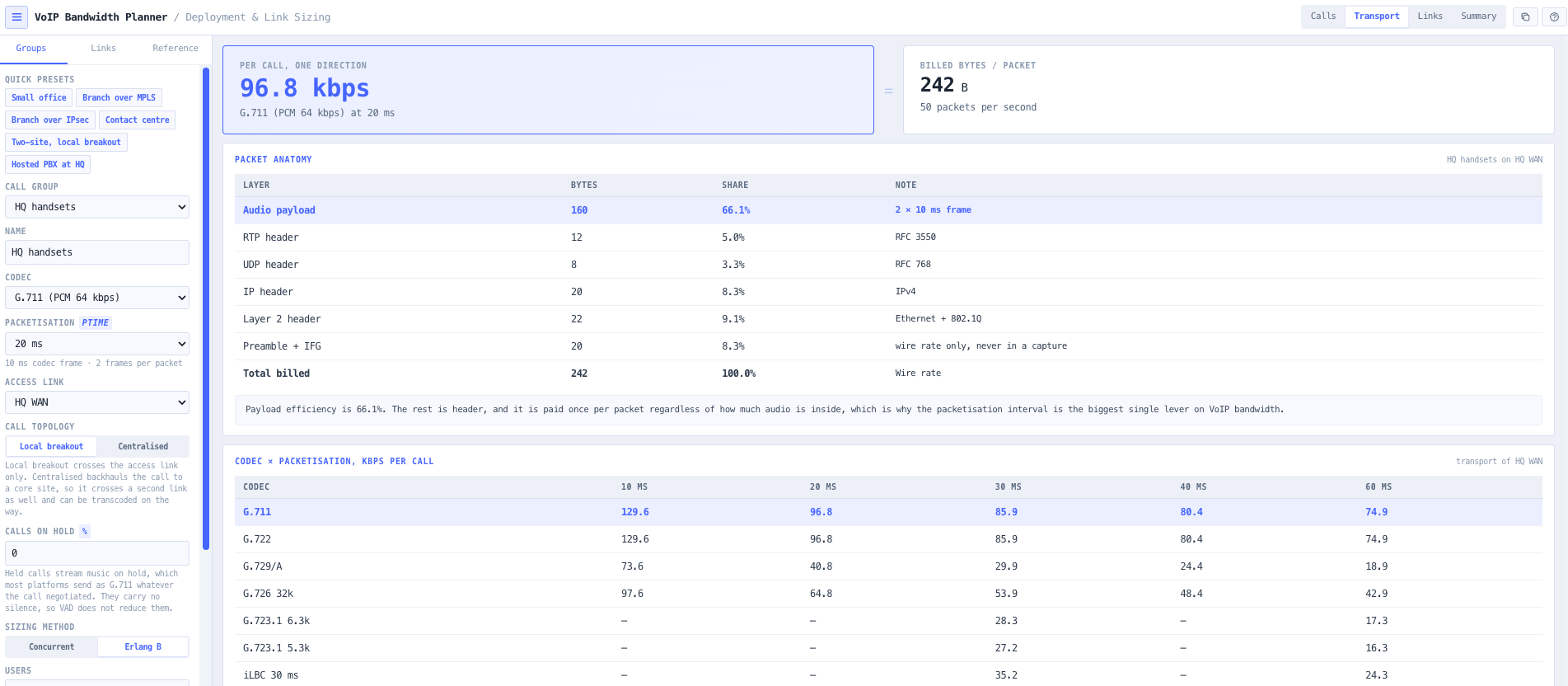
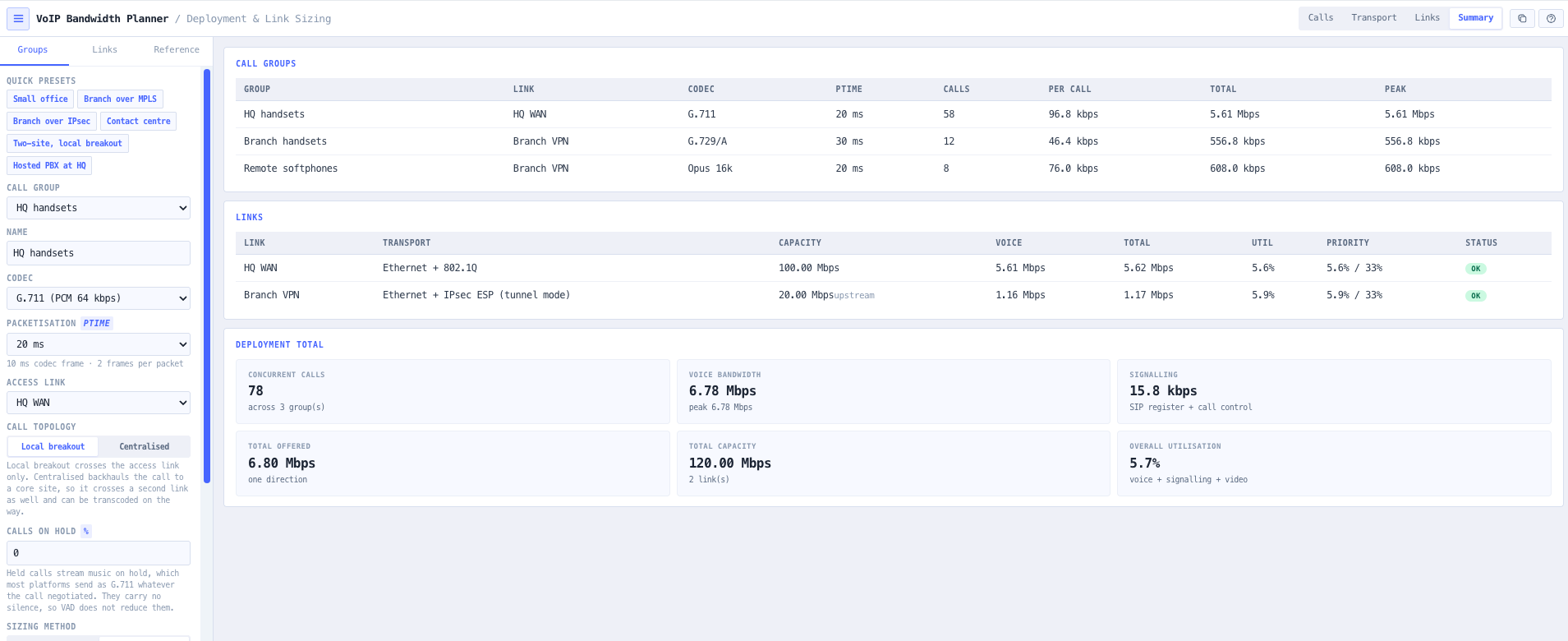
Because the codec bitrate is only the audio. Every 20 ms, a G.711 call sends 160 bytes of audio wrapped in a 12-byte RTP header, an 8-byte UDP header and a 20-byte IP header, then an 18-byte Ethernet header and frame check sequence. That is 218 bytes fifty times a second, or 87.2 kbps. Count the preamble and inter-frame gap that the medium also spends and it is 95.2 kbps. The planner shows both and lets you pick which convention to report.
Should I use wire rate or header-only framing?
Wire rate, for sizing a link, because preamble, start-of-frame delimiter and inter-frame gap are real time on the medium even though a packet capture never shows them. Header only is offered so your figures reconcile against the widely published per-call tables, which count the header and frame check sequence alone. G.711 at 20 ms reads 95.2 kbps at wire rate and 87.2 kbps header only.
How does the tool turn a headcount into concurrent calls?
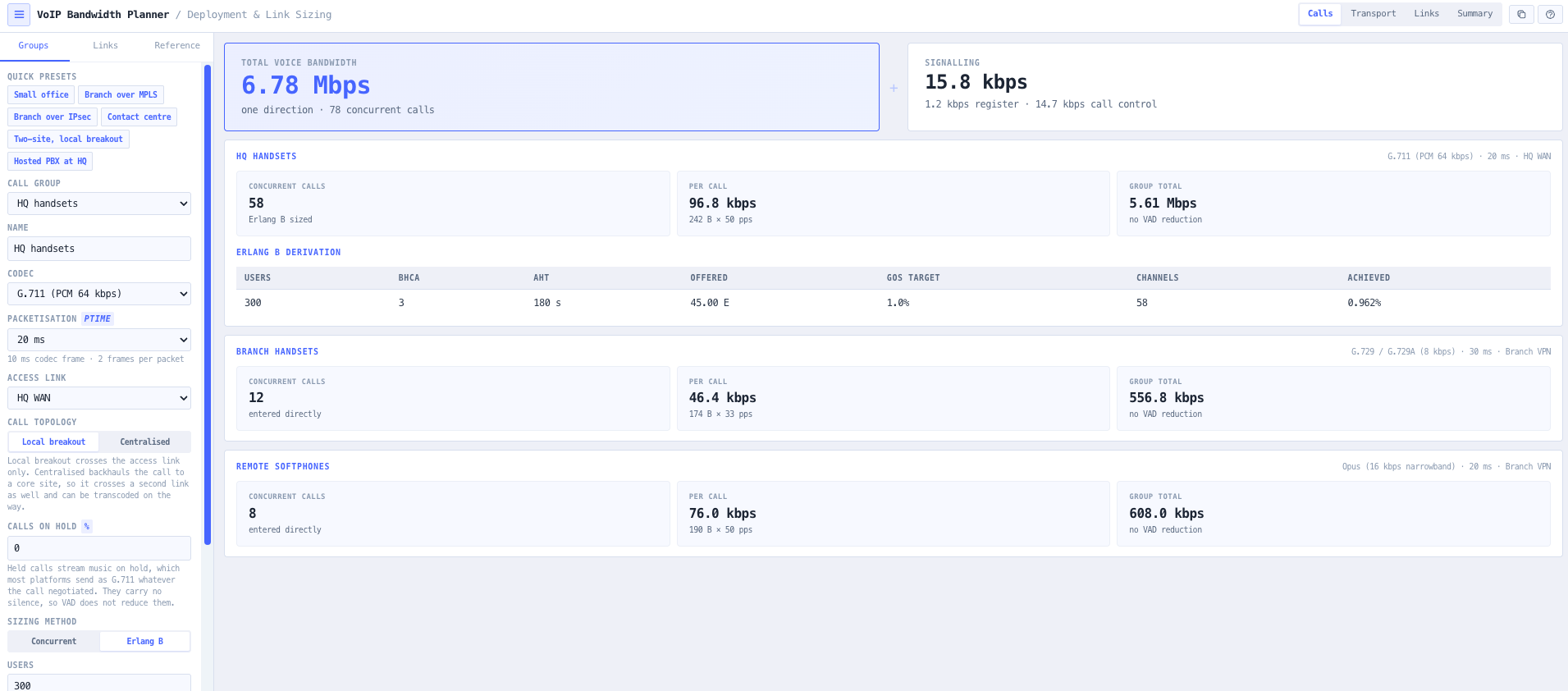
With Erlang B. You give the users, the busy-hour call attempts per user and the average hold time; the tool works out the offered traffic in Erlangs and returns the number of simultaneous calls needed to hold blocking at or below your target grade of service. It then reports the blocking actually achieved, so you can see how much margin the rounding to a whole number left you. If you already know your trunk size, enter the concurrent calls directly instead.
Does silence suppression really halve my bandwidth?
No, and the tool will not pretend it does. Silence suppression saves bandwidth statistically, averaged across many simultaneous calls, because at any instant only some of them carry speech. On one call the peak is still the full rate. The planner applies the voice activity factor to the group total only, never to the per-call figure, withholds it entirely on groups too small for the averaging to hold, and always shows the full-rate peak alongside.
Why can I not turn on cRTP over Ethernet?
Because cRTP is not defined there. It compresses the IP, UDP and RTP header hop by hop on point-to-point serial links, where both ends maintain compression state. It is also useless inside a tunnel, since the header it would compress is already encrypted or encapsulated. Rather than silently applying it and producing a flattering number, the tool refuses it in those cases and tells you why.
Why does the same IPsec tunnel add different overhead to different codecs?
Because ESP pads. AES-CBC has to pad the ciphertext to a 16-byte block boundary, so the padding needed depends on the size of the packet going in. A 20-byte G.729 payload and a 160-byte G.711 payload land in different places relative to that boundary. Flat tables that quote a single IPsec byte figure are wrong for at least one of them, so the planner computes it from the actual payload for the cipher you choose.
My link has spare capacity but the tool says it is over. Why?
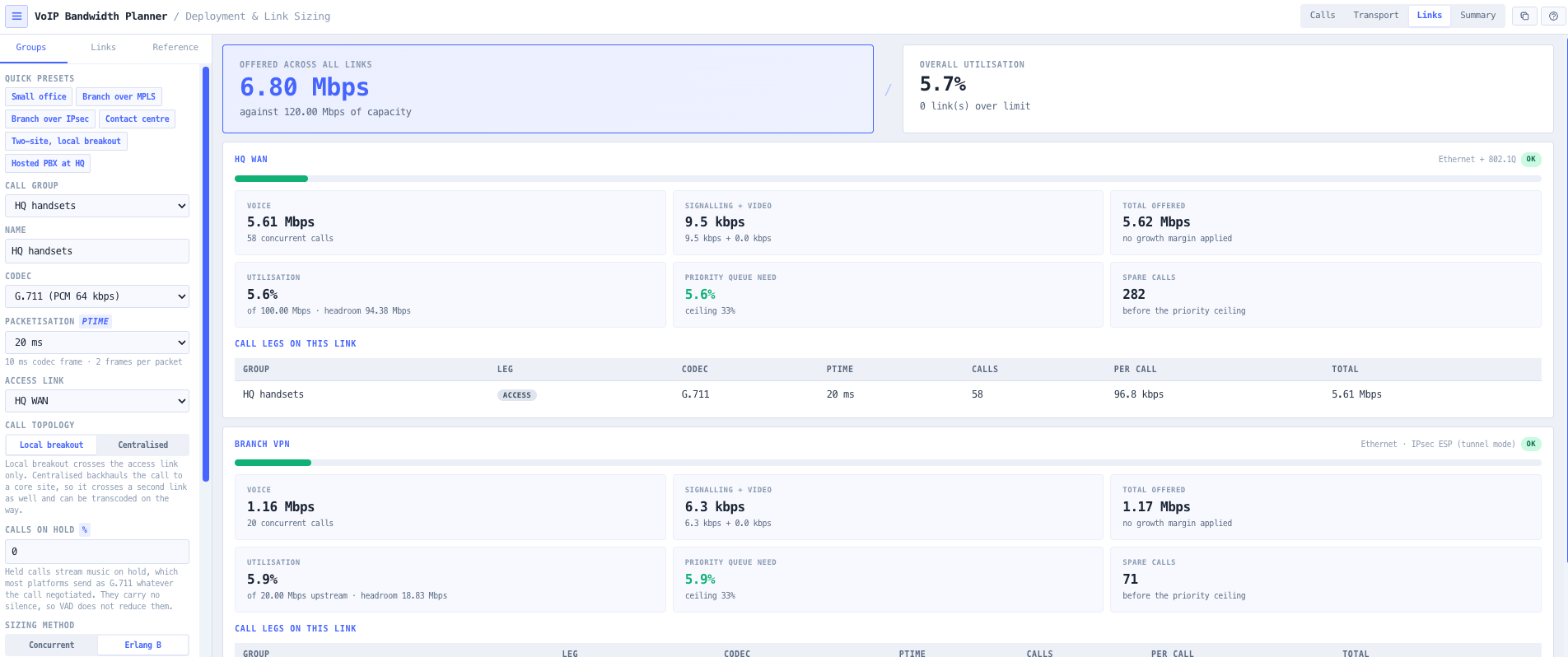
Voice is protected by a priority queue, and that queue is conventionally capped near a third of the link so the other traffic classes still get served. Voice can exceed that ceiling while the link as a whole still looks comfortable. If you let it, everything else on the link starves. The planner checks utilisation and the priority-queue share separately and flags a link that passes one and fails the other, because that is exactly the failure a plain utilisation figure misses.
My branch calls go through a hosted PBX at head office. Does that matter?
A great deal, and it is the most common way a VoIP sizing comes out wrong. With a hosted PBX or a central SIP trunk, a branch call crosses the branch link AND the head office link, and if the session border controller transcodes it the two legs cost different amounts. Set the group topology to centralised, pick the core link and the transcode codec, and both legs are counted. Leave it on local breakout and the head office link only sees its own handsets, which understates it by everything the branches send.
My branch is on a 100/20 NBN service. Which number do I enter?
Both. Enter 100 downstream and 20 upstream, and the tool sizes against the 20, because voice is symmetric and the smaller direction runs out first. It will tell you which direction it used. Entering only the advertised downstream figure is one of the easiest ways to under-build a branch voice service by a factor of five.
Why does adding calls on hold push my bandwidth up so much?
Because music on hold is almost always streamed as G.711 regardless of what the call negotiated, and music is continuous so there is no silence for voice activity detection to suppress. On a G.729 branch a held call costs roughly three times a talking one. The tool prices the held share at G.711, keeps it out of any VAD reduction, and says so, because this is a real surprise that shows up after cutover rather than during design.
Should I add a growth margin?
That is your call, which is why the default is zero. A tool that quietly inflates your numbers is worse than one that makes you choose. Set a per-link margin and the sized figure is shown next to the raw one, so it is always clear which part is measurement and which part is allowance.
Does this tool tell me the call quality?
No, and that is deliberate. This is a capacity tool: how much bandwidth the deployment needs and whether the links carry it. Voice quality scoring, MOS and the E-Model, DSCP marking and queueing design, delay and jitter budgets, and T.38 fax are all out of scope. Keeping the tool to one question means it never has to hedge on that question.
Are the figures per direction or for the whole call?
Every figure is one direction. A conversation consumes the per-call bandwidth in each direction independently, and links are sized on the constrained direction, so a one-direction figure is the one you plan with. If your link is asymmetric, size the smaller direction.