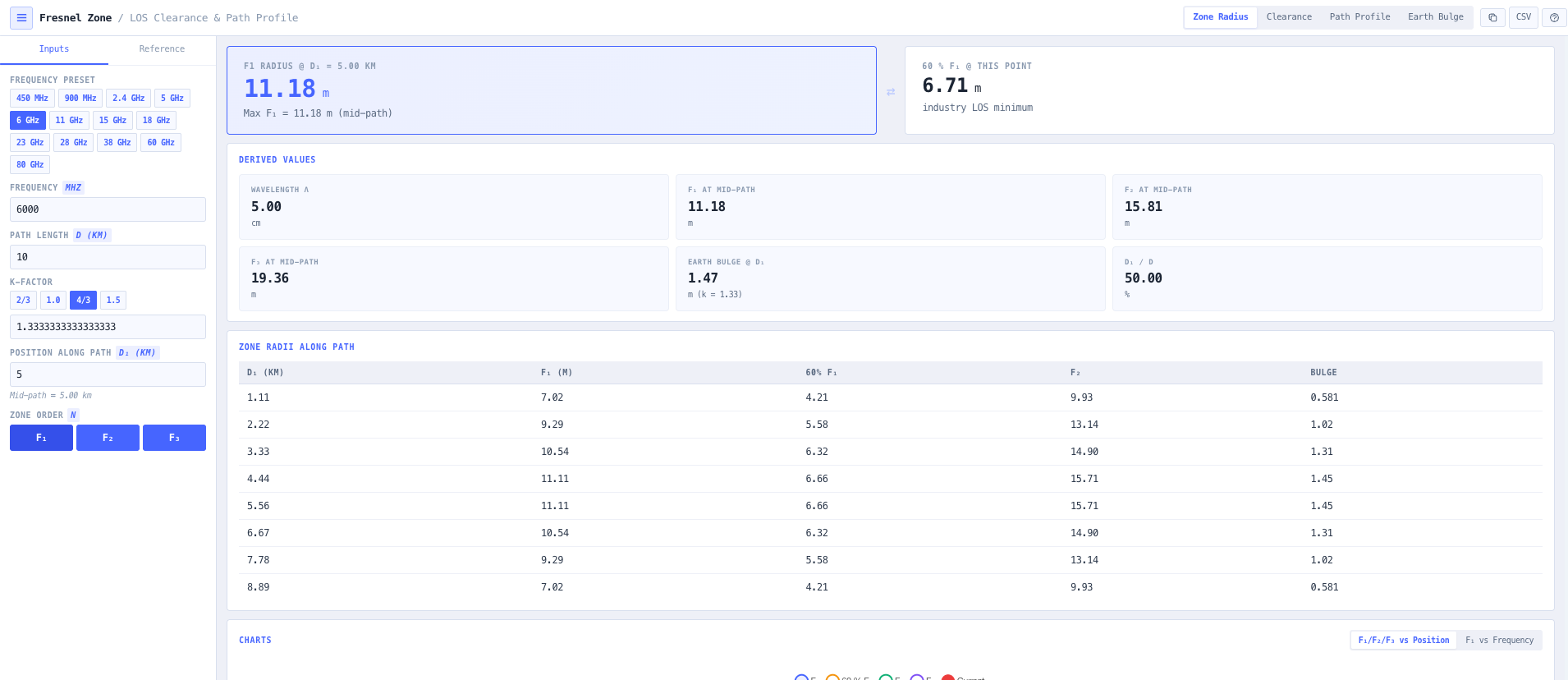
Fresnel zone radius at any point
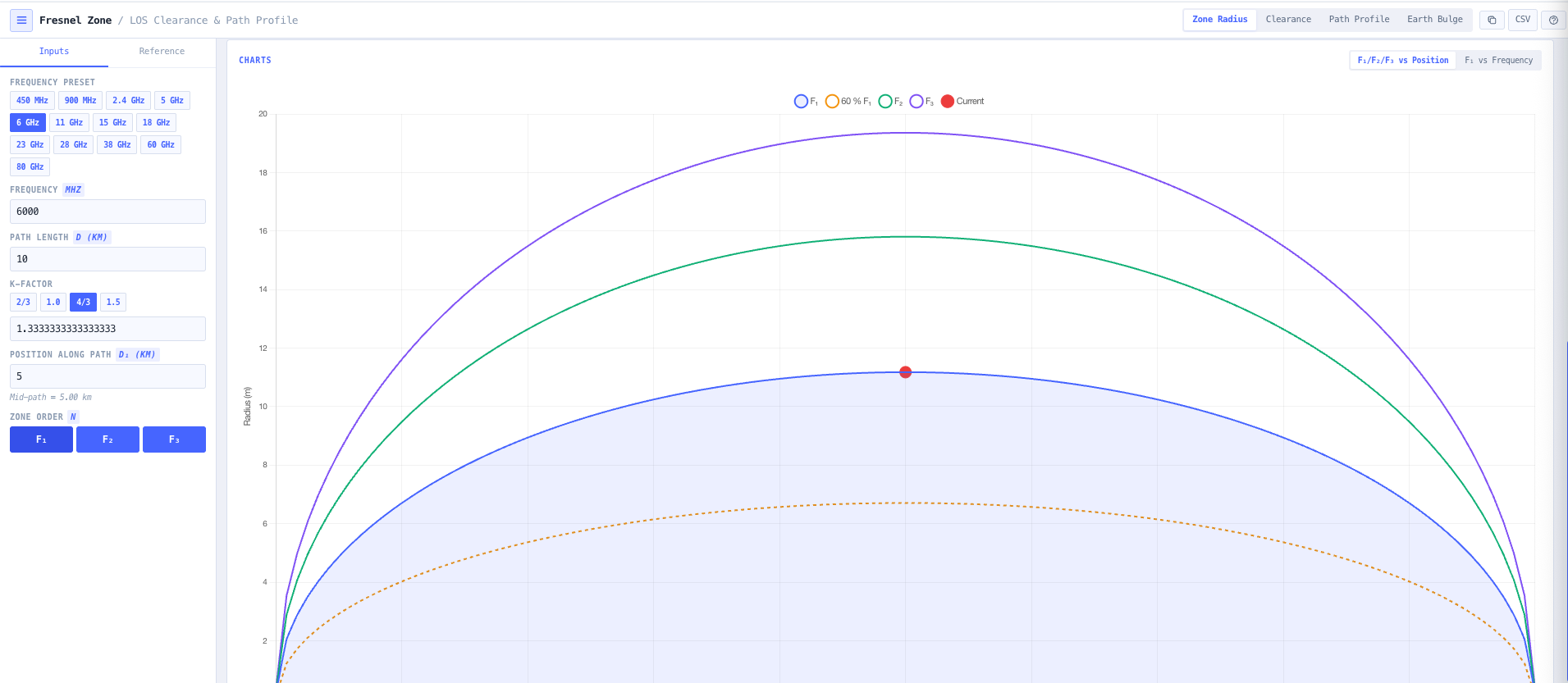
Computes Fn equals square root of (n times lambda times d1 times d2 divided by (d1 plus d2)) for any zone order n (F1, F2, F3) and any position along the path. Maximum radius at midpath. Radius at user selected offsets along the path. Scaled 60 per cent F1 clearance line rendered explicitly so the industry line of sight minimum is visible directly.
Obstacle clearance analysis
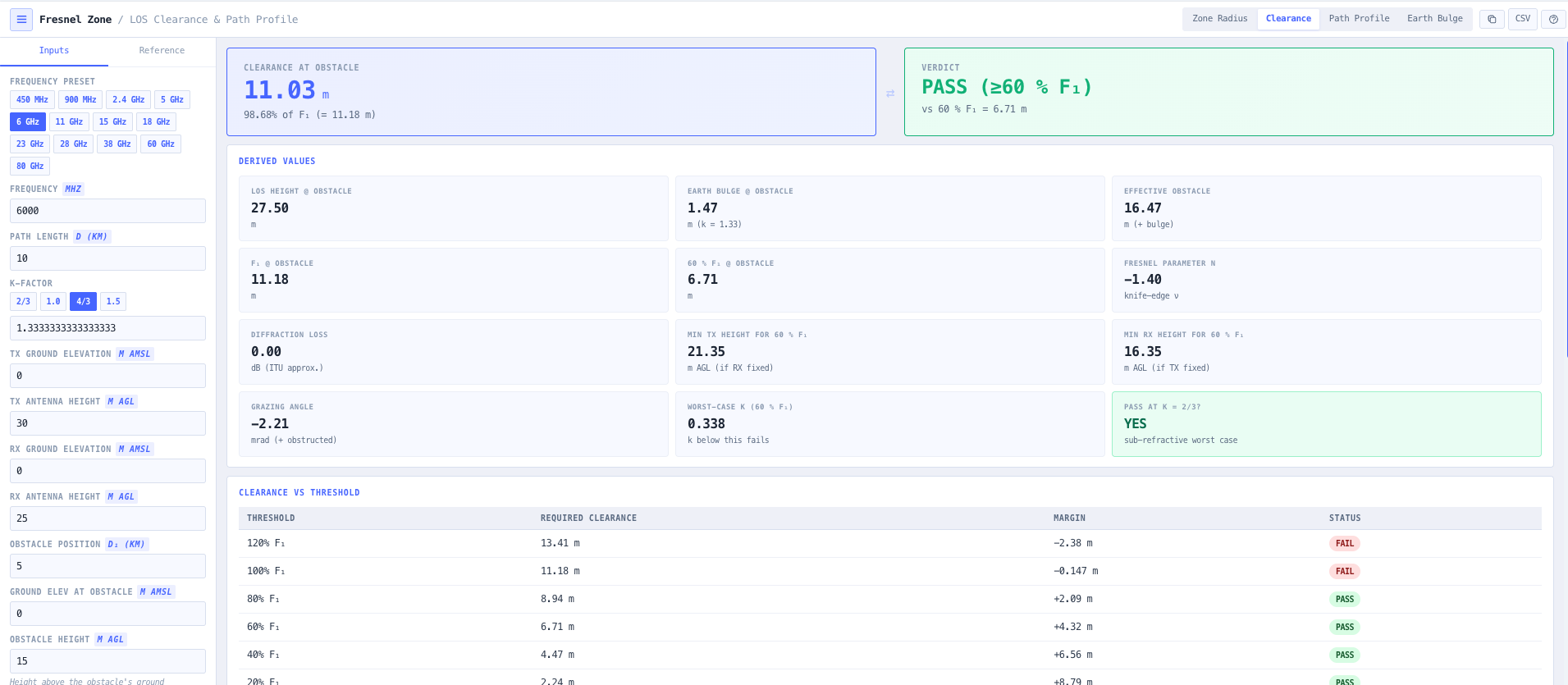
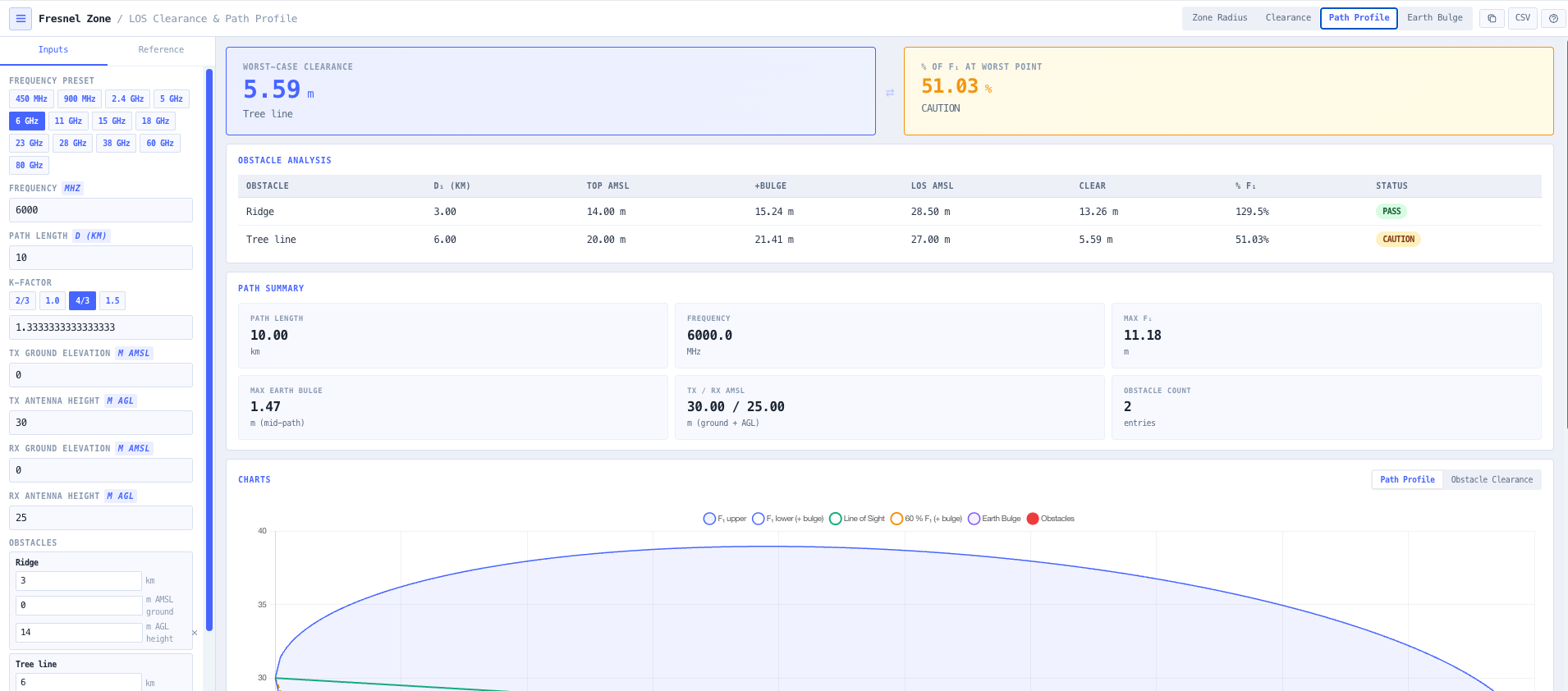
Configure obstacle height and position along the path. The calculator computes available clearance after earth bulge correction, expresses it as a percentage of F1, and reports pass (greater than 60 per cent F1), caution (40 to 60 per cent), or fail (less than 40 per cent) against the line of sight threshold. Useful for tree, building, ridge, and tower clearance checks during route feasibility assessment.
Earth bulge with k factor selection
Earth curvature correction using the standard effective earth radius model. h bulge equals d1 times d2 divided by (12.75 times k) for distances in km and bulge in metres. Selectable k factor presets covering sub refractive (2 over 3), no refraction (1.0), standard troposphere (4 over 3), super refractive (1.5), and any user defined value. Matches ITU R P.530 recommendations for terrestrial line of sight propagation.
Multi obstacle path profile
Render the full path profile with the line of sight ray, first Fresnel ellipsoid, second Fresnel zone, earth bulge curve, and any number of user defined obstacles overlaid. Obstacles are placed by distance and height and the calculator returns clearance per obstacle. Useful for ridge crossing assessment, tree line evaluation, and confirming whether mast height adjustments will achieve the 60 per cent F1 minimum.
Frequency band presets
Built in presets for 6, 11, 15, 18, 23, 26, 38, and 80 GHz microwave backhaul, 5 GHz ISM, 2.4 GHz WiFi, 900 MHz ISM, and 450 MHz UHF. Each preset populates frequency for the common configuration so the route feasibility check is one click. Manual entry remains available for unusual frequencies, millimetre wave, and sub GHz applications.
Visualisation and tables
Interactive charts cover Fresnel radius versus position along the path, full path profile with obstacles overlaid, clearance versus frequency at the same path geometry (showing how higher frequency improves Fresnel clearance for the same physical clearance), and earth bulge versus k factor (showing how refractivity changes the effective bulge). Tables break down clearance at each zone order and at common percentage thresholds (60, 80, 100 per cent).
Mid path and offset radius reporting
Maximum Fresnel radius at midpath is the headline number for path planning. The calculator additionally reports the radius at any user selected offset along the path, useful when the critical obstacle is not at the midpoint (a ridge near one end of the path, a tree line at a known offset, a tower or building at a measured distance from one site).
Line of sight pass or fail dashboard
Single glance pass, caution, or fail status against the 60 per cent F1 line of sight threshold for every defined obstacle. Combined with the path profile visualisation, the dashboard makes route feasibility immediately obvious and supports the design discussion around mast height, route deviation, or alternative site selection.
Browser only computation
Runs entirely in your browser. No path geometry, obstacle data, or link parameters are submitted to a server. Useful for commercially confidential infrastructure planning, defence and security site work, and environments where information security policy prohibits sending engineering data to third party services.