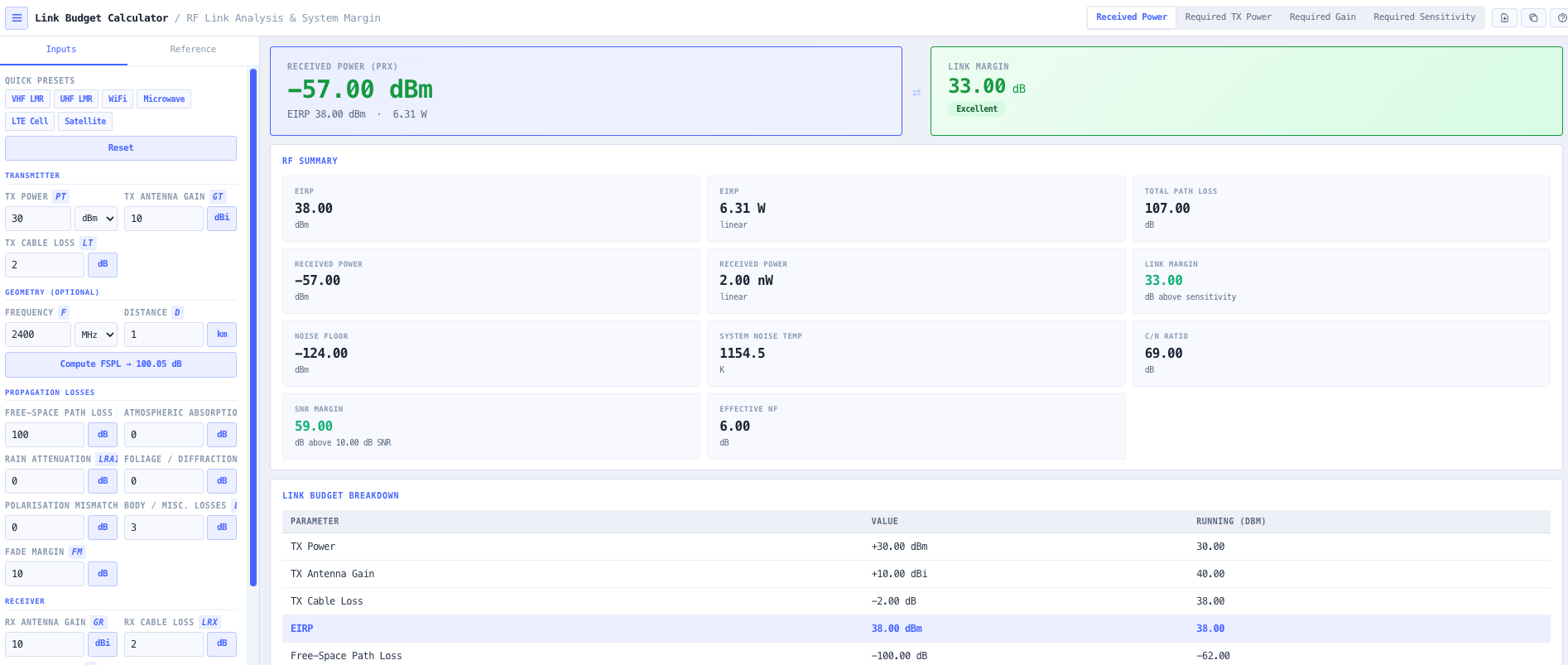
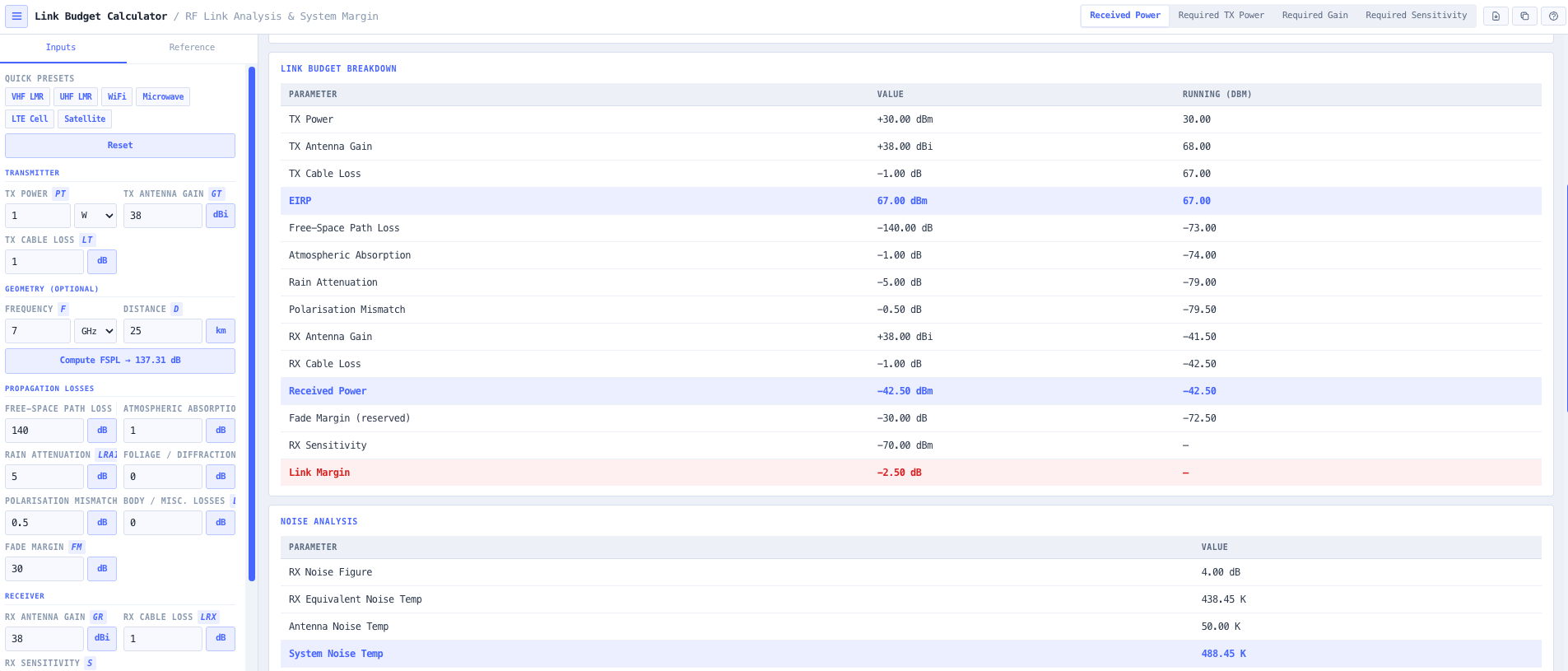
A link budget is the engineering document that decides whether a wireless link will actually work in service. Every dB on the path between transmitter and receiver is accounted for. Transmit power. Antenna gains at each end. Cable, connector, and feeder losses. Free space path loss. Atmospheric absorption from oxygen and water vapour. Rain attenuation. Foliage, diffraction, and clutter loss. Polarisation mismatch. Fade margin to absorb time varying effects. The result is a received power against a receiver sensitivity threshold, with a link margin in dB telling you how much headroom remains. Build the budget right and the link runs through every realistic operating condition. Build it badly and the link works in the lab and fails the moment it rains, the leaves come out, or the path absorbs water vapour.
The noIM₃ Link Budget Calculator is the end to end workspace for that document. Transmitter parameters (output power, antenna gain, cable loss) feed an EIRP calculation. Propagation loss aggregates free space path loss, atmospheric absorption, rain, foliage and diffraction, and polarisation mismatch. Receiver parameters (antenna gain, cable loss, receiver sensitivity) close out the chain. Fade margin and link margin are reported explicitly so the operational availability is visible rather than implied. A full noise analysis covering receiver noise figure, system noise temperature, bandwidth, and antenna temperature returns noise floor in dBm and carrier to noise ratio in dB so signal quality is not just an afterthought to received power.
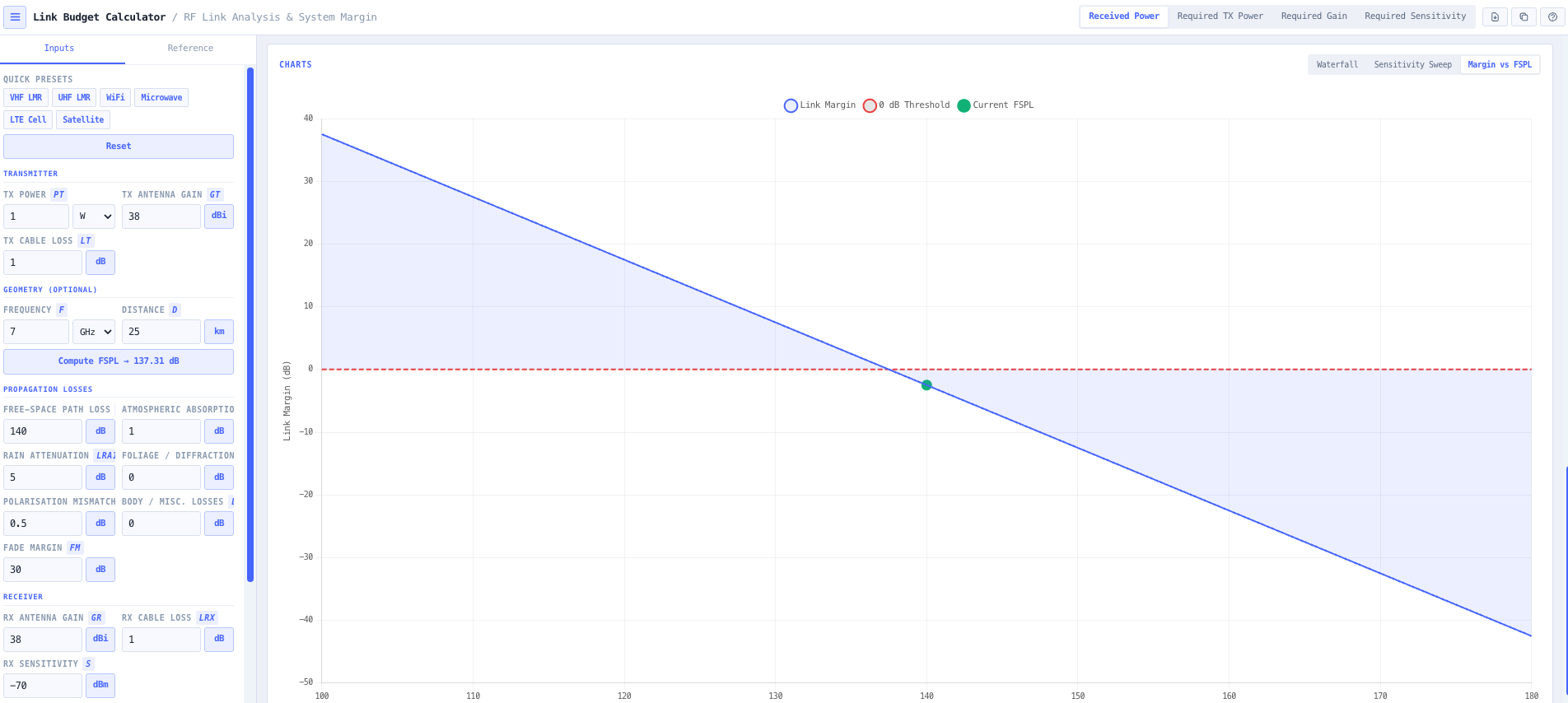
Built in presets cover VHF and UHF land mobile radio, WiFi 2.4 GHz and 5 GHz, LTE bands, satellite uplinks and downlinks, and microwave point to point backhaul. Each preset populates transmit power, antenna gain, cable loss, and receiver sensitivity for the common configuration so a usable answer is one click away. Manual entry is available throughout for unusual deployments, custom equipment, or cross checking against vendor proposed designs. Interactive waterfall and margin charts visualise how received power and link margin track with distance and frequency, supporting design discussions around antenna size, transmit power, frequency band selection, and reliability target.