VLAN management with reserved range warnings
Add VLANs with ID, name, and description. Reserved and well known IDs are flagged automatically. VLAN 1 as the default VLAN to avoid for user and trunk traffic. VLANs 1002 to 1005 as FDDI and Token Ring legacy reservations on Cisco IOS. VLAN 4095 as reserved by 802.1Q. Reserved VLANs render with a visible warning so the design never accidentally ships a booby trap.
CIDR subnet planning with DHCP and reserved IPs
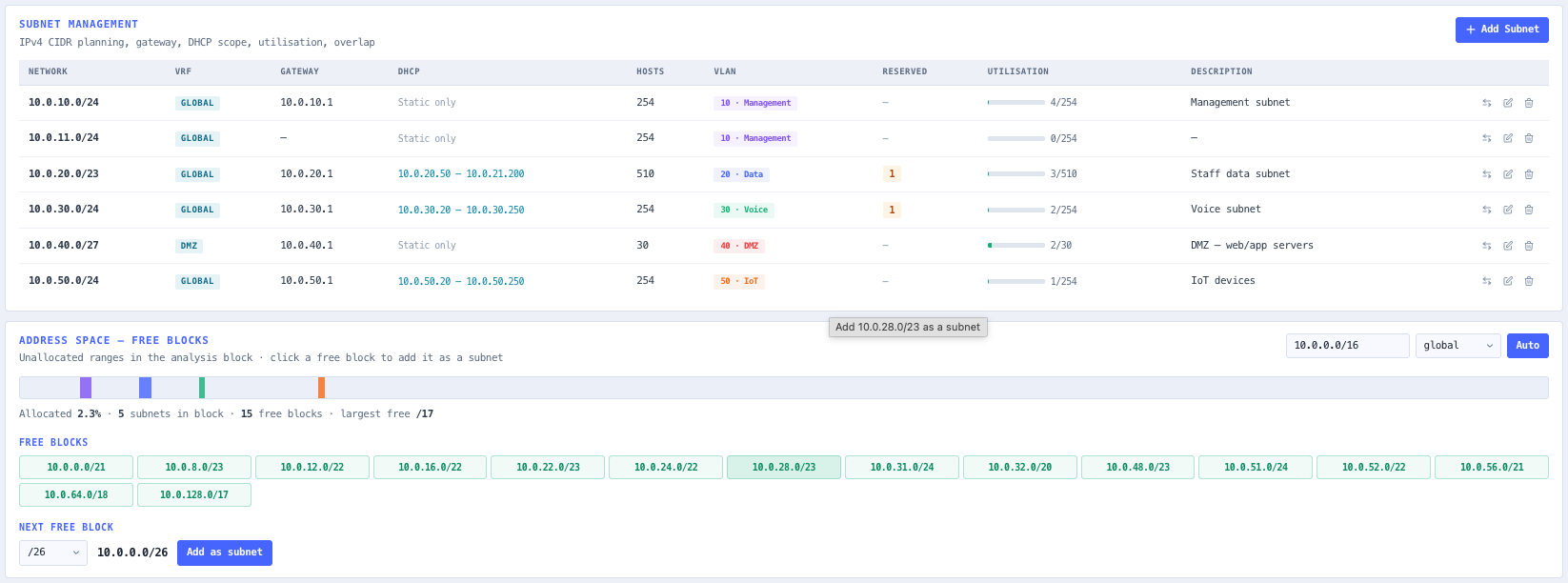
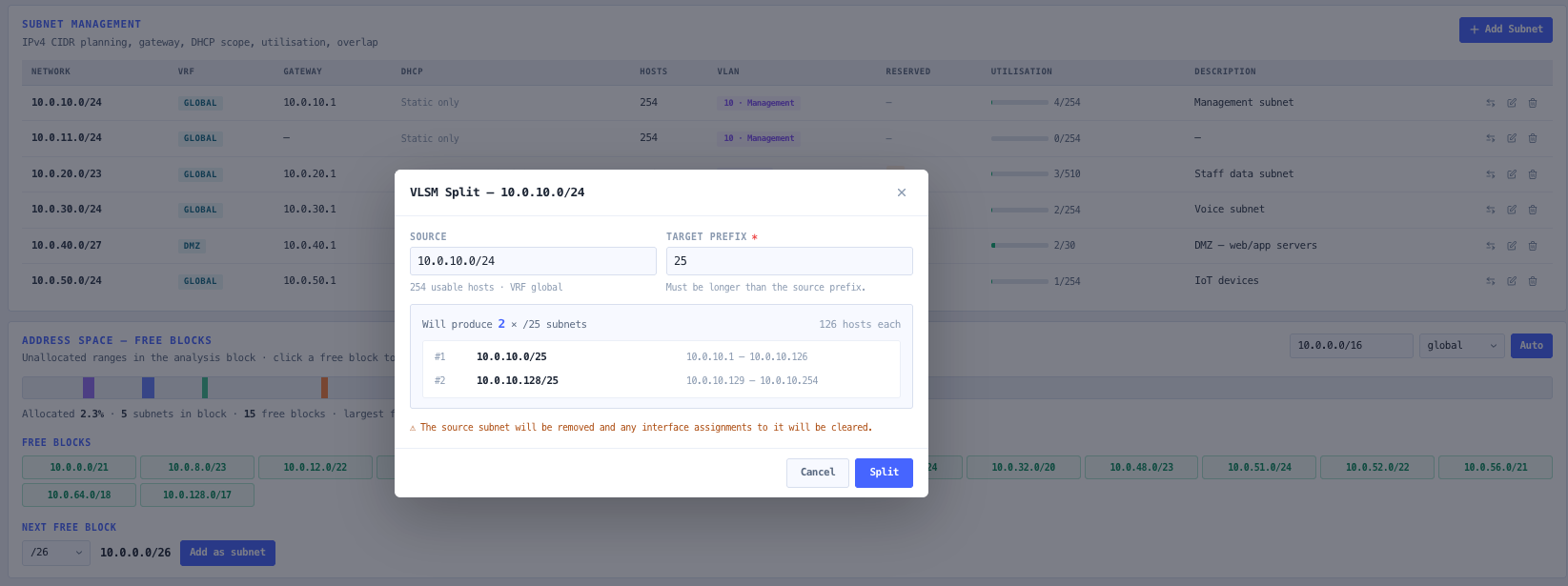
Each subnet carries network and prefix, gateway, DHCP pool start and end, reserved IP list with labels, VLAN binding, VRF tag, and a description. Real time per subnet utilisation with colour coded banding (green below 60 per cent, amber below 85 per cent, red above). Overlap detection compares every subnet pair within the same VRF and warns on true overlaps that are not simple containment.
VRF scoping for overlapping address space
Every subnet can be tagged with a VRF label. Conflict detection, DHCP in static checks, and overlap warnings are all VRF scoped, so the same 10.0.0.0 slash 24 can legitimately exist in two different VRFs without raising spurious warnings. The reference panel surfaces the active VRF count at a glance.
Devices and interfaces with access, trunk, and voice VLAN
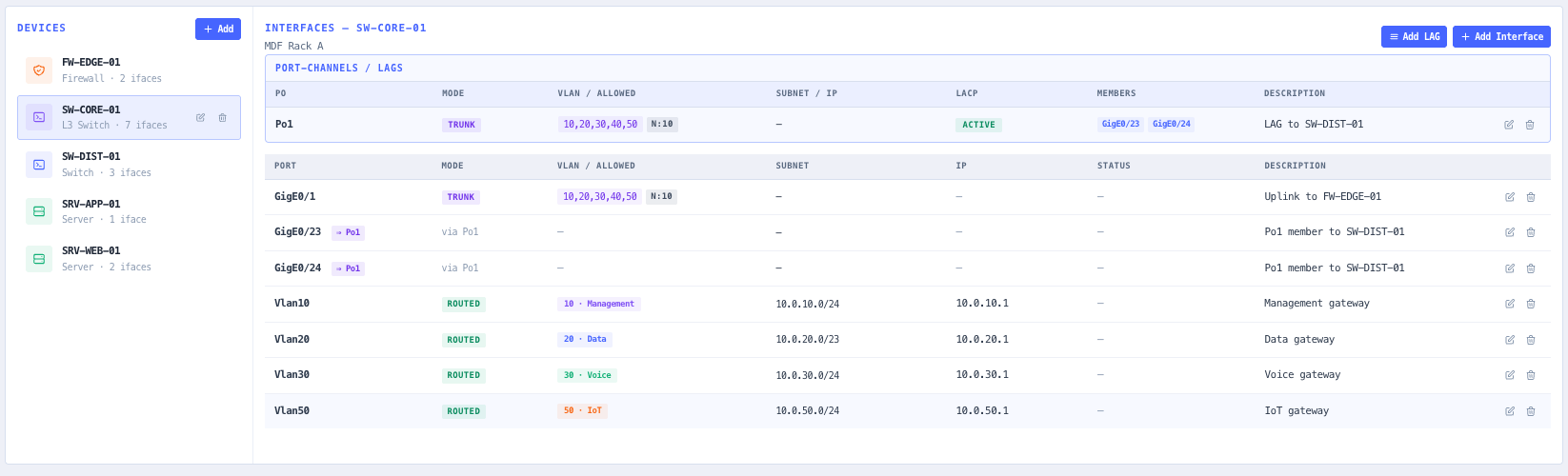
Track switches, routers, and hosts with named interfaces. Each interface carries a mode (access, trunk, routed, loopback, or management), the assigned VLAN for access mode, an allowed VLAN list and native VLAN for trunk mode, an optional voice VLAN for IP phones, a port name, a DNS hostname, an IP address, a subnet binding, and a description. Rapid entry with Add plus next auto increments port names so a 48 port switch is documented in seconds. Duplicate port names on the same device are flagged. Per interface warnings surface static addresses that fall inside a DHCP pool.
Trunk peer documentation with mismatch detection
Document the far end of any trunk by selecting the peer device and port — recording one end is enough, the link displays on both. The planner then checks the link for native VLAN disagreement, allowed VLAN list differences, and a trunk landing on a non trunk port, and flags any mismatch on the interface row and in the clickable health strip. This catches the classic VLAN hopping and dropped traffic misconfigurations on paper, before they ship to a switch.
Address space mapping with free block finder
Set an analysis block (for example 10.0.0.0/16) and a VRF, or let the planner auto detect the smallest covering supernet. An allocation bar maps every subnet at its true position, free space is decomposed into maximal CIDR blocks rendered as click to add chips, and a next free finder names the first available subnet of a chosen prefix length. This answers the planner question — where does the next /26 fit — directly from the schema.
IP schema with conflict and DHCP in static detection
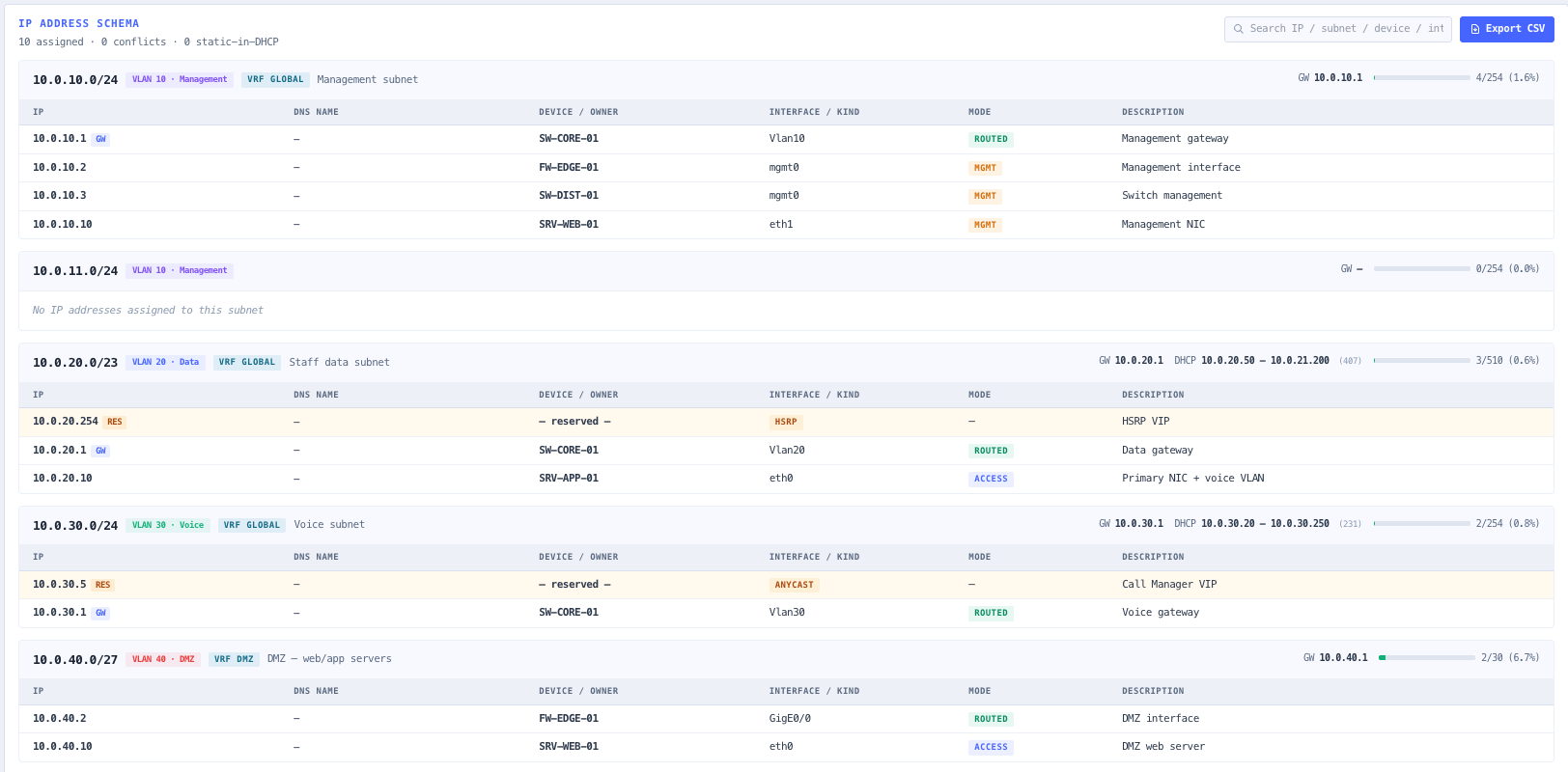
The IP Schema tab presents every assigned address grouped by subnet, sorted numerically, with a DNS name column and search across IP, subnet, port, device name, and description. Gateway and DHCP pool context render in the header of each subnet block. Conflicts are computed VRF scoped across interface addresses and reserved IPs. Static addresses that land inside a DHCP pool are flagged as a separate warning class, and only problem rows carry badges so anything highlighted needs attention.
Vendor style configuration generation
The Config tab emits interface stanzas per device for Cisco IOS and IOS XE, Arista EOS, or a generic pseudocode target. Output reflects access versus trunk mode, native VLAN, allowed VLAN lists, voice VLAN, IP addresses, and gateways. A prominent banner reminds the engineer that output is a planning starting point and does not cover AAA, NTP, banners, ACLs, FHRP (HSRP and VRRP), routing protocols (OSPF and BGP), spanning tree global config, port security, storm control, or QoS.
Schema export to JSON and CSV
Export the full design to JSON for round trip editing. JSON preserves VLANs, subnets, devices, interfaces, VRF tags, and reserved IP lists so the design can be reloaded into the planner without loss. CSV export flattens the IP schema to a single sheet ready for review in spreadsheets, CMDBs, or IPAM tools.
Live reference panel
Live counts for VLANs, subnets, devices, interfaces, active VRFs, reserved IPs, and static in DHCP overlaps. Quick reference for VLAN ID rules and access versus trunk behaviour. The panel updates as the schema evolves so design state is visible without leaving the workspace.
Browser only computation
Runs entirely in your browser. No VLAN identifiers, subnet plans, device inventories, or IP assignments are submitted to a server. Useful for commercially confidential network design work, defence and intelligence networks, and environments where information security policy prohibits sending network plan data to third party services.